Today I need help.
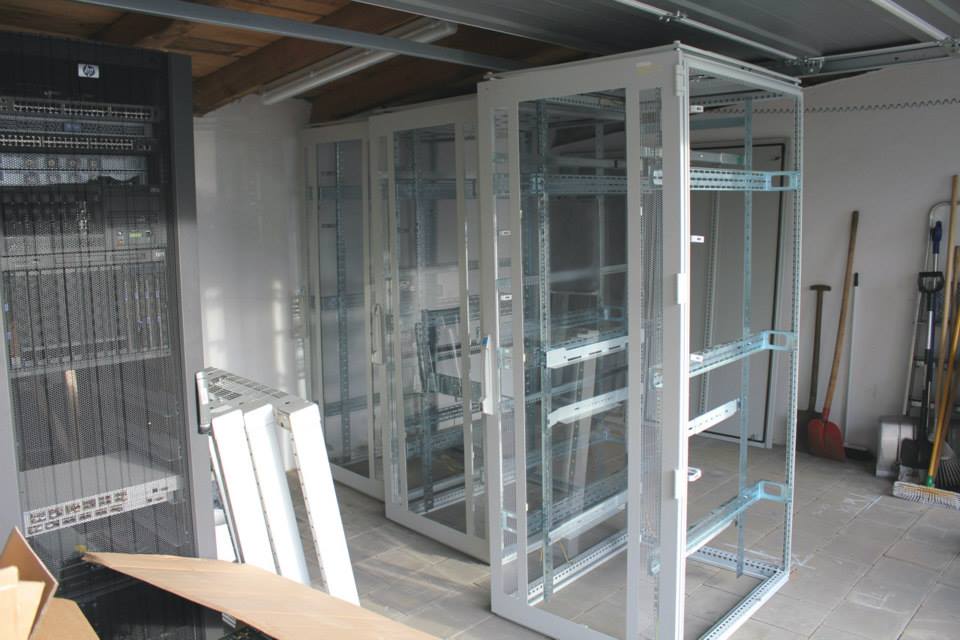
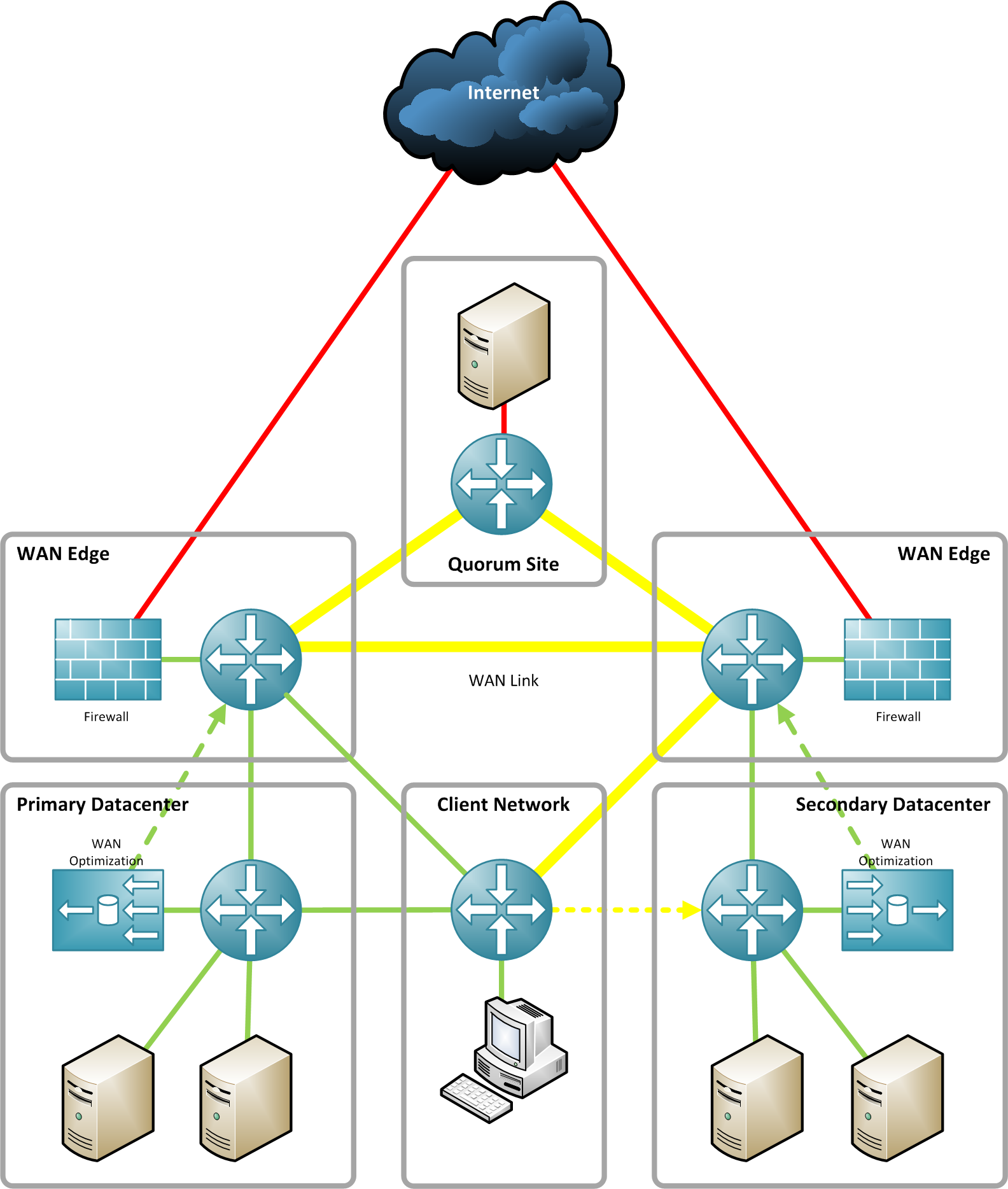
Currently I’m planing a Multi-Site Datacenter at home.
I want to test some new technologies like Cisco VXLAN, Site-to-Site replication, VMotion over WAN, and and and. But I’m not a professionell networking guy and that’s why I’m not sure if my following network design is comparable with a real-world datacenter network. I don’t need any redundant component and network designs like a 2 or 3-tier network architecture (Core-Distribution-Access). My lab should be simple, but not too simple.
Feel free to comment…

Some times ago I bought a STEC ZeusIOPS SSD with 18GB capacity. This disks comes out from a Sun ZFS Storage 7420 system. But it’s 3.5″ large and without a server which supports 3.5″ large SAS disk drives I couldn’t test the SSD. Today I was able to test the drive on a Fujitsu Primergy RX300 S5 server. I installed five 500 GB large SATA drives and my STEC ZeusIOPS SSD. The first disk contains an OpenIndiana installation, the rpool. The remaing four SATA drives are grouped as a ZFS RAIDZ2 pool. I exported a ZFS dataset over NFS and 1 GbE to a VMware ESX system. With a Ubuntu linux virtual machine I run several benchmarks.
The results without the SSD are 75-80 MBytes/s write (850ms latency), between 40 and 65 MBytes/s rewrite and 120 MBytes/s read performance. I did different runs with bonnie++ and iozone and achieved always similar values. During the tools did their benchmarks I watched the IO with “zfs iostat”. The write and rewrite results matched the numbers above. Reading lot’s of data from disk was not necessarry due a large enough ARC mem cache. That’s why the iostat output values was lower than 10 Mybtes/s.
Then I added the STEC SSD as log device to the ZFS pool and rerun all the tests. But I couldn’t believe the values!!! My benchmarks finished with only 45-50 MBytes/s write and 35-45 MBytes/s rewrite. Read performance didn’t changed, of course. The write latency exceeded 10000ms!!! Something went wrong but I don’t know what. I did the runs again and I watched the zfs iostat output parallel. But the output of zfs iostat throwed values always above 100 Mbytes/s. Sometimes I reached even values above 170 MBytes/s, but always more than 100 Mbytes/s. This is the maximum rate for a single 1 GbE connection! But the benchmark output was very different. They didn’t reached the results of the benchmark without the SSD. I was confused. I disabled the log device with the logbias option and set it to throughput. The benchmark result and the iostat results went back to 75-80 Mbytes/s write. I reenabled the log device with logbias=latency and I had again the benchmark result of max. 50 Mybtes/s write and big latency values but with an iostat ouput always over 100 Mbytes/s!
Something is wrong, but I don’t know what.
Do you have an idea?
I wish all my readers and followers on Twitter a
Merry Xmas!
Thank you for reading and commenting all my blogs and tweets.
Now it’s time to shutdown my home lab and spent attention to my family.
My daughter Lina is one year old and 30 mins ago I give her a very big Teddy-Bear.
That was really fun and she loves her new toy.
In 2012 I will finish my M$ Hyper-V project and I plan to publish a real world Hyper-V cluster configuration. I will start with the current Hyper-V version and I plan to do the same with Hyper-V 3.0 !
A Windows SMB 2.2 file server over Infinband is on my roadmap, too. And with a little bit of luck I can get an HP EVA 4400 for my home lab.
Stay tuned and I wish everybody happy holidays!
Kind regards.
Tschokko

Merry Xmas 2011
I decided to try the HP ProCurve Switch Mesh technology in conjunction with my HP BladeSystems and HP Virtual Connect. After a week of planing, searching the Internet and reading several documents, I started to rebuild the network in my home lab. The results are amazing. Everything in my lab runs very fast and with low latency. Even the software based Core Router (Debian + Quagga) is no limitation. I tested the network performance with iperf and was able to send data thru my Mesh from one routed network to a another with 900 Mbits/s! I did the iperf test with two CentOS 6 virtual machine running one VMXNET3 NIC. The VMs are placed on different hosts, too.
Configuring the switch mesh is very simple. Disable routing and stacking and add all mesh ports with the mesh command. The vlans are added automatically to all mesh ports. Only ensure that every mesh switch knows all configured vlans.
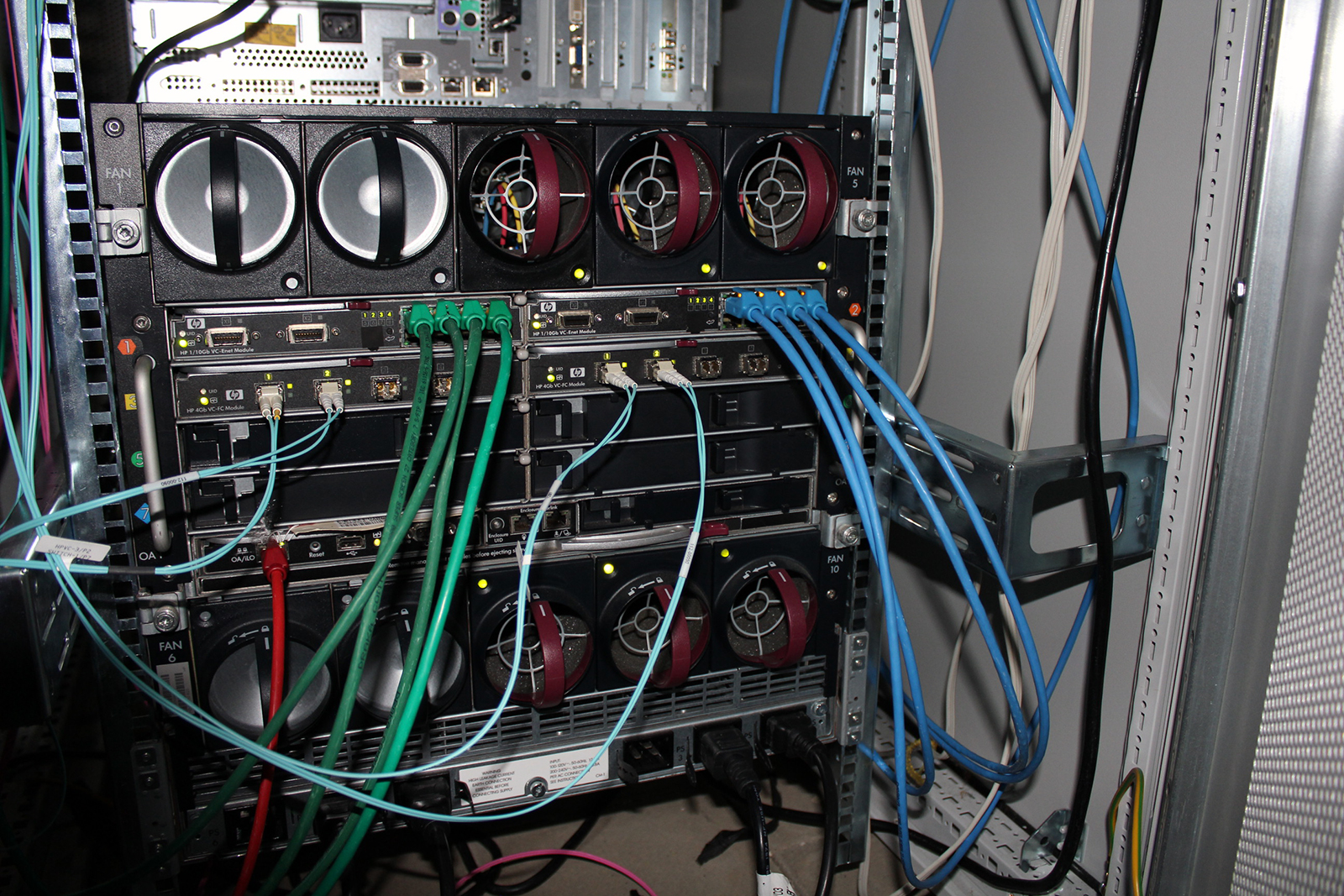
My HP BladeSystem is connected with two LACP trunks to the switch mesh. I decided to setup VLAN tunneling because the two connected blades running VMware ESX.The HP Virtual Connect setup was very simple and thanks to LLDP I detected a cabling error.
LLDP is very useful! You can see several informations about the connected network port. That’s really cool.
Currently my mesh is connected with several 1 Gbits links, but with a little bit luck I can get some 10 GbE modules for my 3500yl switches.
That’s all for today. Stay tuned.
To solve the error
# ./install
-bash: ./install: /lib/ld-linux.so.2: bad ELF interpreter: No such file or directory
and the font display error when IBM Installation Manager is started, you need to install following packages with yum.
yum install gtk2.i686 libXtst.i686 dejavu-sans-fonts
Wooow… lot’s of changes ! Today I downloaded the brand new Oracle Solaris 11 operating system and started to install it into a VirtualBox virtual machine. Automatic network configuration is a very nice feature, but I’m a “Old-School” guy and I prefer the manual configuration.
So I tried to setup a valid network configuration for IPv4 and IPv6. I’m running several months a dual-stack configuration at home and I’m very impressed of IPv6. That’s why a proper IPv6 configuration is very important for me, because I access all my systems over IPv6 if it’s available.
Okay, no guarantee for all following steps. But my Solaris 11 installation seems to run well with this configuration. If I did some errors, please comment. Solaris 11 has lot’s of changes!
Disable automatic network configuration:
# netadm enable -p ncp DefaultFixed
Configure a static IPv4 address and default route:
# ipadm create-ip net0
# ipadm create-addr -T static -a 10.0.2.18/24 net0/v4static
# route -p add default 192.168.100.1
Setup name services and a valid domain name:
# svccfg
svc:> select name-service/switch
svc:/system/name-service/switch> setprop config/host = astring: "files dns"
svc:/system/name-service/switch> setprop config/ipnodes = astring: "files dns"
svc:/system/name-service/switch> select name-service/switch:default
svc:/system/name-service/switch:default> refresh
svc:/system/name-service/switch:default> validate
# svccfg
svc:> select nis/domain
svc:/network/nis/domain> setprop config/domainname = "itdg.nbg"
svc:/network/nis/domain> select nis/domain:default
svc:/network/nis/domain:default> refresh
svc:/network/nis/domain:default> validate
# svccfg
svc:> select dns/client
svc:/network/dns/client> setprop config/nameserver=net_address: ( 2001:4dd0:fd4e:ff01::1 2001:4dd0:fd4e:ff02::1 )
svc:/network/dns/client> select dns/client:default
svc:/network/dns/client:default> refresh
svc:/network/dns/client:default> validate
svc:/network/dns/client:default> exit
# svcadm enable dns/client
Please note, that I configured IPv6 name server addresses! This is only possible if your DNS server has a valid IPv6 configuration.
Let’s add the important IPv6 part:
# ipadm create-addr -T addrconf net0/v6
# ipadm create-addr -T static -a 2001:4dd0:fd4e:d00f::a007 net0/v6add
The first line is needed because I don’t want to configure an IPv6 default route! This is done with my Router Advertisement daemon and Link-Local addresses.
That’s it ! My Solaris 11 installation is available thru IPv4 and IPv6.
Parallel to my blog, I decided to create a Facebook page. I want to use Facebook to post current actitivties similar to Twitter, but without limitation.
Link to Facebook: http://www.facebook.com/tschokko.de
Say Hello to Shorty !
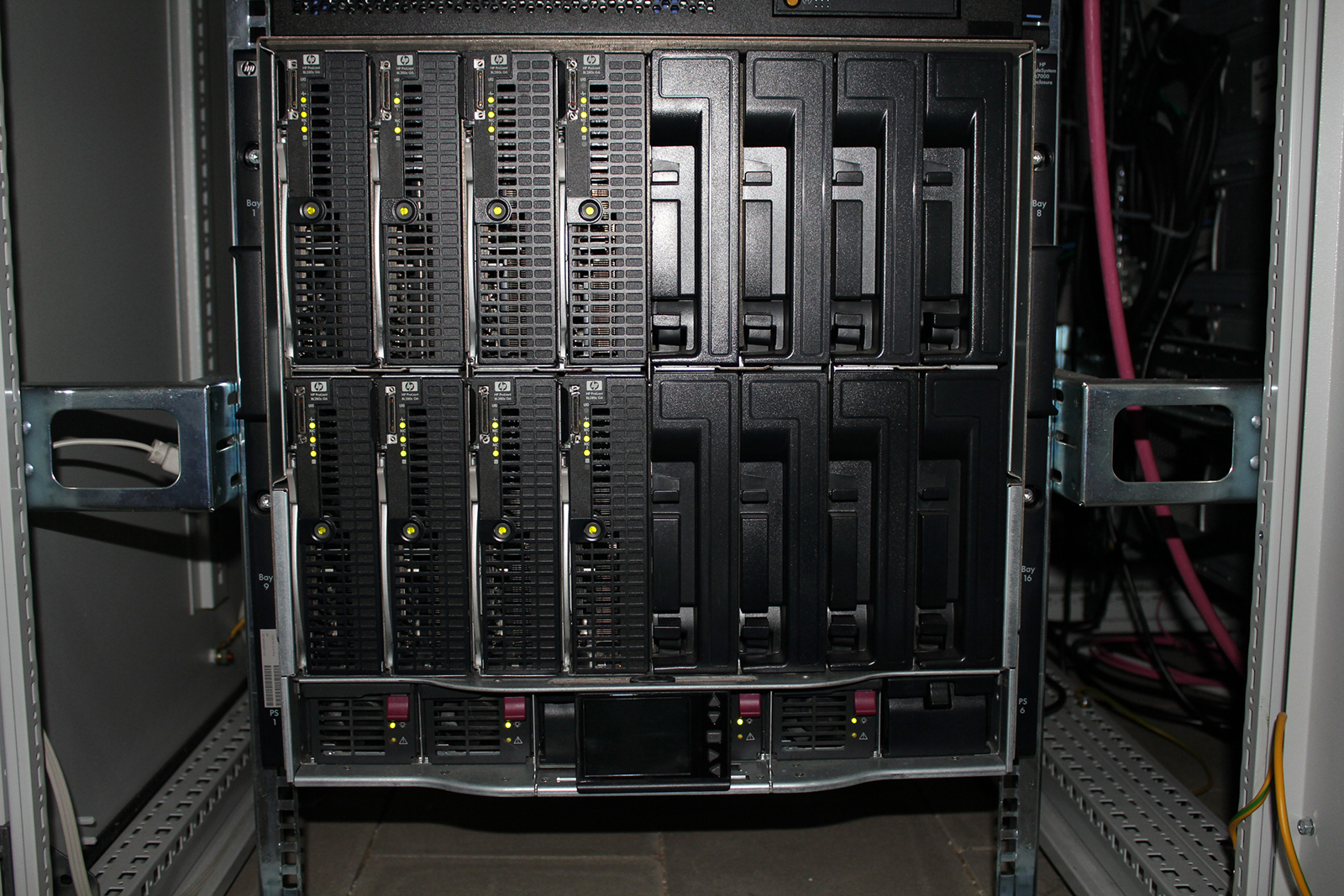
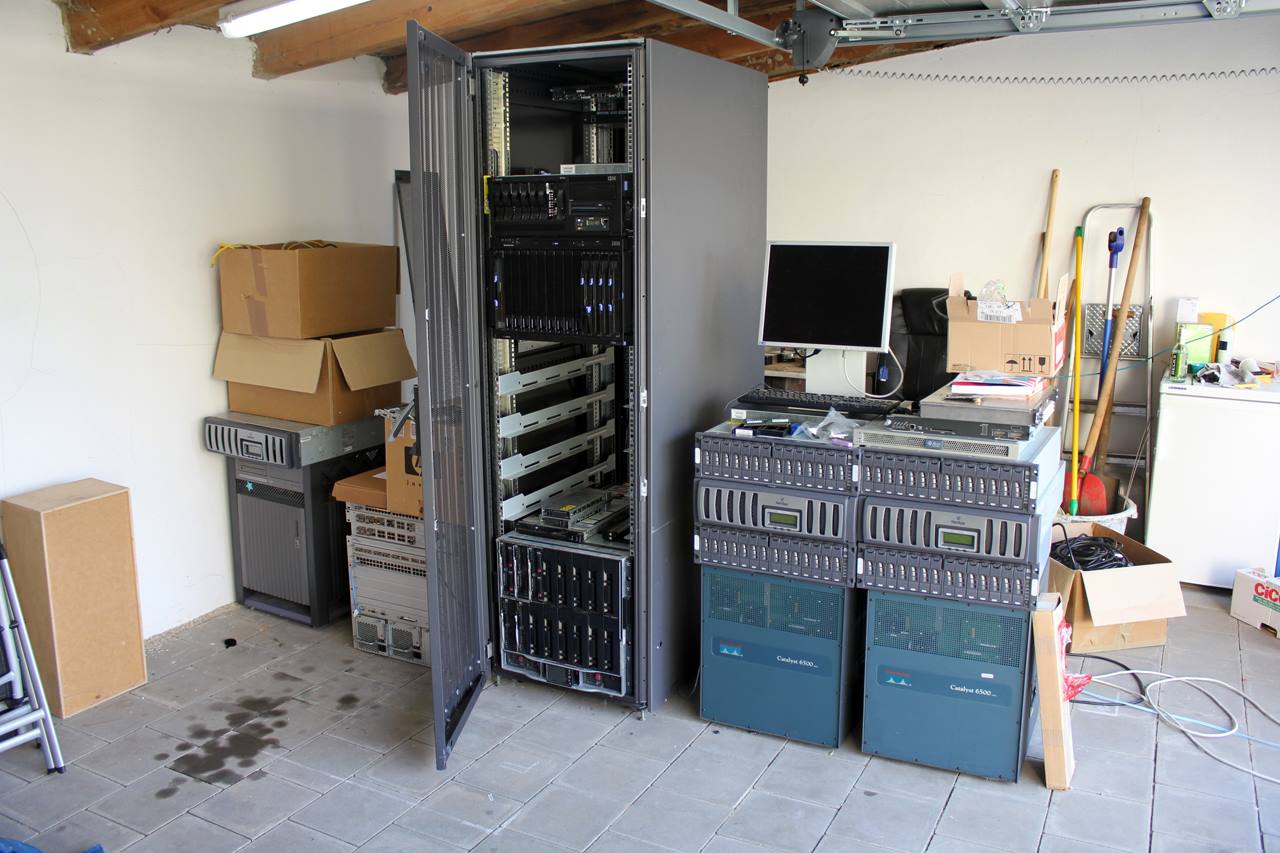
Shorty is running an Ubuntu OpenStack Cloud Computing environment. It is connected to a MSA2012fc storage system and a ProCurve 5406zl modular network switch. The 10 GbE uplink to the 10 GbE 4-port module is prepared, but the CX4 X2 module is missing to complete the connection. I will order the X2 module within the next weeks.